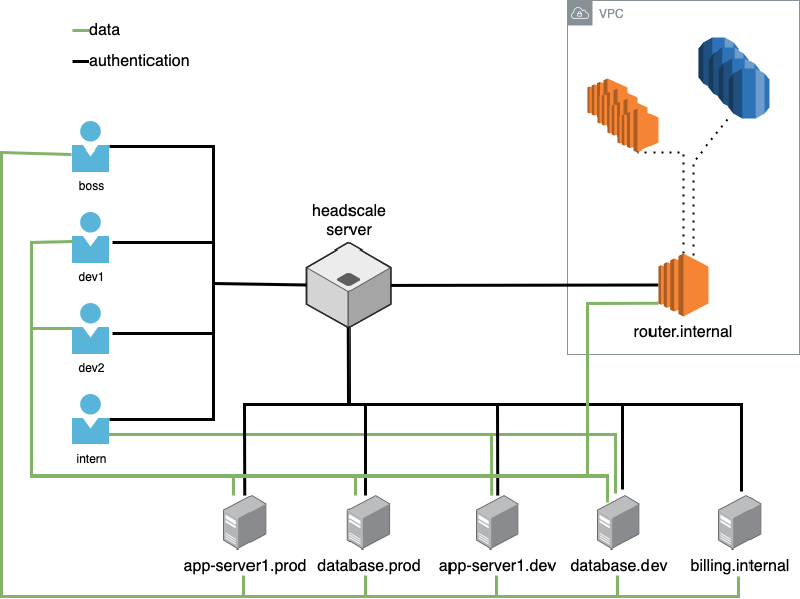
Preface
Who doesn’t have a k8s cluster these days? Right.
If your cluster hasn’t crashed at least once or twice a year, are you even serious?
And who doesn’t spin up a machine here and a server there?
So I started tinkering with building cross-LAN/private-network connectivity.
Some time ago I manually set up WireGuard in the cloud and got several nodes running — it was basically usable.
But manually deploying this stuff is always a pain; if you misconfigure a node, debugging is a nightmare.
I had also seen Tailscale recently and ran the official demo using their hosted service — it worked fine, but the free tier only allows five devices, which isn’t suitable for us.
Then an ops colleague started experimenting with self-hosting Tailscale auth, and once our machines could talk to each other I suddenly understood how to do it.
So, let’s roll.
Tailscale: Concepts First
 1
 2
 3
 4
 5
 6
 7
 8
 9
10
11
12
13
14
15
16
17
18
19
20
21
22
23
24
25
|
Tailscale 本质是三层东西:

客户端(必需)

tailscale CLI / GUI(macOS / Linux / Windows / iOS / Android)

负责:WireGuard 加密、打洞、直连/中继

控制面(Control Plane)

设备注册

身份认证

下发节点列表、ACL、DERP 信息

- 官方的是 Tailscale SaaS
- 自建的是 Headscale

中继面(DERP,可选)

打洞失败时转发流量

可用官方 DERP,也可以自建
|
So, first get a server — a lightweight cloud VM will do.
Discussing the Plan with GPT
- I talked with GPT to confirm feasibility.

 1
 2
 3
 4
 5
 6
 7
 8
 9
10
11
12
13
14
15
16
17
18
19
20
21
22
23
24
25
26
27
28
29
30
31
32
33
34
35
36
37
38
| 用 Headscale 作为 Tailscale Control Server,
关闭 Tailscale 官方 SaaS,
鉴权接入你自己的 OAuth / LDAP / Token / SSO。
## 二、关键组件说明(重要)
### Tailscale
官方客户端 + 官方 SaaS
你不用官方 SaaS
只使用客户端(tailscale up --login-server=...)
### Headscale(核心)
Tailscale 官方协议的 开源 Control Server
100% 自托管
MIT License
支持:
Namespaces / Users
ACL
PreAuthKey
OIDC(可扩展)
👉 Headscale = 你自己的 Tailscale Server
|
Got the idea — let’s get to work.
Vibe Coding DevOps: Getting Started
I decided to have GPT generate a Vibe Coding task and let Copilot run it on the server to see how it goes.
So I prepared the following prompt:
  1
  2
  3
  4
  5
  6
  7
  8
  9
 10
 11
 12
 13
 14
 15
 16
 17
 18
 19
 20
 21
 22
 23
 24
 25
 26
 27
 28
 29
 30
 31
 32
 33
 34
 35
 36
 37
 38
 39
 40
 41
 42
 43
 44
 45
 46
 47
 48
 49
 50
 51
 52
 53
 54
 55
 56
 57
 58
 59
 60
 61
 62
 63
 64
 65
 66
 67
 68
 69
 70
 71
 72
 73
 74
 75
 76
 77
 78
 79
 80
 81
 82
 83
 84
 85
 86
 87
 88
 89
 90
 91
 92
 93
 94
 95
 96
 97
 98
 99
100
101
102
103
104
105
106
107
108
109
110
111
112
113
114
115
116
117
118
119
120
121
122
123
124
125
126
127
128
129
130
131
132
133
134
135
136
137
138
139
140
141
142
143
144
145
146
147
148
149
150
151
152
153
154
155
156
157
158
159
160
161
162
163
164
165
166
167
168
169
170
171
172
173
174
175
176
177
178
179
180
181
182
183
184
185
186
|
你是一个资深 SRE / 基础设施工程师,请帮我在一台 Linux 服务器上,
从 0 到 1 完整部署一个【自建 Tailscale 控制面系统】。

================================================
【服务器与基础信息】
================================================

服务器地址:
ts.example.cn

SSH 登录方式:
ssh root@ts.example.cn

操作系统:
假设为 Ubuntu 20.04 / 22.04(主流 Linux 即可)

权限:
- root 权限
- 可执行任意系统命令

域名状态(已完成):
- ts.example.cn        → 本机公网 IP
- auth.example.cn      → 本机公网 IP
DNS 已解析完成,不需要你处理 DNS

HTTPS 要求:
- 使用 acme.sh 申请 Let’s Encrypt 证书
- 使用 Nginx 模式或 standalone 均可
- 需要配置自动续期
- 证书路径要清晰、可维护

================================================
【最终目标】
================================================

在这台服务器上完成以下系统部署,并确保长期稳定运行:

1. Headscale
   - 作为唯一的 Tailscale 控制面(替代官方 SaaS)
   - 对外服务地址:https://ts.example.cn

2. 账号 / 密码登录系统
   - 使用 Authentik
   - 通过 OIDC 与 Headscale 集成
   - 登录入口:https://auth.example.cn

3. PostgreSQL
   - 仅供 Authentik 使用

4. Tailscale Client
   - 本机作为一个普通 Tailscale 节点加入网络

5. HTTPS
   - 由宿主机 Nginx 统一负责
   - 不使用 Traefik / Caddy

6. 容器管理
   - 使用 Docker + docker-compose
   - 所有服务可一键启动 / 停止

最终效果应支持:
tailscale up --login-server=https://ts.example.cn

================================================
【强制架构约束(必须遵守)】
================================================

- ❌ 不使用官方 Tailscale SaaS
- ✅ 使用 Headscale 作为唯一控制面
- ✅ 使用 Authentik 提供账号 / 密码登录
- ✅ Headscale + Authentik + PostgreSQL 使用 docker-compose
- ✅ Tailscale client 使用官方 tailscale 容器
- ✅ HTTPS 完全由宿主机 Nginx 提供
- ❌ 不在该机器上运行 k3s master / etcd
- ✅ 所有配置必须是真实可运行配置,不允许伪代码

================================================
【域名与端口规划(固定)】
================================================

对外域名:
- Headscale: https://ts.example.cn
- 鉴权入口: https://auth.example.cn

内部端口(可自行选择,但需合理):
- Headscale:8080
- Authentik:9000
- PostgreSQL:5432

================================================
【你需要输出的内容(一步都不能少)】
================================================

请你【严格按顺序】输出并解释以下内容:

1. 🧱 服务器初始化
   - 更新系统
   - 安装 Docker
   - 安装 docker-compose(plugin 或 standalone)
   - 安装 Nginx
   - 安装 acme.sh

2. 🔐 HTTPS 证书申请
   - 使用 acme.sh 为以下域名申请证书:
     - ts.example.cn
     - auth.example.cn
   - 给出完整、真实的命令
   - 配置自动续期
   - 明确证书存放路径

3. 🌐 Nginx 配置
   - 为 ts.example.cn 生成 server block(反代 Headscale)
   - 为 auth.example.cn 生成 server block(反代 Authentik)
   - 启用 HTTPS
   - 设置正确的 proxy headers(Host / X-Forwarded-Proto 等)

4. 📁 目录结构规划
   - 给出一个推荐的部署目录(例如 /opt/headscale-stack)
   - 输出完整目录树

5. 🐳 Docker Compose
   - PostgreSQL(仅 Authentik 使用)
   - Authentik(账号 / 密码 + OIDC)
   - Headscale
   - Tailscale client
   - 包含:
     - volumes
     - networks
     - restart policy

6. ⚙️ Headscale 配置文件
   - server_url 设置为:https://ts.example.cn
   - IP 段使用:100.64.0.0/10
   - 启用 OIDC
   - OIDC issuer 设置为:
     https://auth.example.cn/application/o/headscale/

7. 👤 Authentik 初始化与 OIDC 配置
   - 如何首次初始化管理员账号
   - 如何创建 OIDC Application
   - Client ID 应设置为:headscale
   - Redirect URI 必须是:
     https://ts.example.cn/oidc/callback
   - 如何获取 Client Secret 并填回 Headscale

8. ▶️ 启动与验证
   - docker compose up -d
   - 如何检查容器状态
   - 如何验证:
     - https://ts.example.cn 可访问
     - https://auth.example.cn 登录页正常

9. 🧪 客户端接入验证
   - 给出真实命令:
     tailscale up --login-server=https://ts.example.cn
   - 描述完整登录流程:
     CLI → 浏览器 → 账号密码 → 回调 → 入网

10. ⚠️ 关键注意事项
    - 哪些目录必须备份
    - 为什么 2C2G 资源足够
    - 哪些事情绝对不能做(例如跑 k3s master / etcd)

================================================
【输出风格要求】
================================================

- 必须是「一步一步可执行的实操手册」
- 所有命令、配置都可以直接复制执行
- 不允许说“自行配置”“略”
- 假设读者是懂 Linux / Docker / 网络的工程师
- 以工程实战为第一优先级

================================================
【最终验收标准】
================================================

当我完全照你给出的步骤执行后,应当满足:

- https://ts.example.cn 正常工作(Headscale)
- https://auth.example.cn 正常登录(账号 / 密码)
- 新机器可通过账号密码加入 Tailscale 网络
- 该网络可稳定承载 k3s over Tailscale

请严格按照以上要求输出完整部署方案。
|
I bought the cloud VM and pointed the two domains at it — now let’s proceed.
The core Docker Compose used in the final result is as follows:
  1
  2
  3
  4
  5
  6
  7
  8
  9
 10
 11
 12
 13
 14
 15
 16
 17
 18
 19
 20
 21
 22
 23
 24
 25
 26
 27
 28
 29
 30
 31
 32
 33
 34
 35
 36
 37
 38
 39
 40
 41
 42
 43
 44
 45
 46
 47
 48
 49
 50
 51
 52
 53
 54
 55
 56
 57
 58
 59
 60
 61
 62
 63
 64
 65
 66
 67
 68
 69
 70
 71
 72
 73
 74
 75
 76
 77
 78
 79
 80
 81
 82
 83
 84
 85
 86
 87
 88
 89
 90
 91
 92
 93
 94
 95
 96
 97
 98
 99
100
101
102
103
104
105
106
107
108
109
110
111
112
113
114
115
116
117
|
version: '3.8'

services:
  postgresql:
    image: docker.io/library/postgres:16-alpine
    container_name: headscale-postgresql
    restart: unless-stopped
    healthcheck:
      test: ["CMD-SHELL", "pg_isready -d $${POSTGRES_DB} -U $${POSTGRES_USER}"]
      start_period: 20s
      interval: 30s
      retries: 5
      timeout: 5s
    volumes:
      - ./postgres:/var/lib/postgresql/data
    environment:
      POSTGRES_PASSWORD: ${PG_PASS:-authentik_password_change_me}
      POSTGRES_USER: ${PG_USER:-authentik}
      POSTGRES_DB: ${PG_DB:-authentik}
    networks:
      - headscale-net
    ports:
      - "127.0.0.1:5432:5432"

  redis:
    image: docker.io/library/redis:alpine
    container_name: headscale-redis
    command: --save 60 1 --loglevel warning
    restart: unless-stopped
    healthcheck:
      test: ["CMD-SHELL", "redis-cli ping | grep PONG"]
      start_period: 20s
      interval: 30s
      retries: 5
      timeout: 3s
    volumes:
      - redis:/data
    networks:
      - headscale-net

  authentik-server:
    image: ghcr.io/goauthentik/server:latest
    container_name: authentik-server
    restart: unless-stopped
    command: server
    environment:
      AUTHENTIK_REDIS__HOST: redis
      AUTHENTIK_POSTGRESQL__HOST: postgresql
      AUTHENTIK_POSTGRESQL__USER: ${PG_USER:-authentik}
      AUTHENTIK_POSTGRESQL__NAME: ${PG_DB:-authentik}
      AUTHENTIK_POSTGRESQL__PASSWORD: ${PG_PASS:-authentik_password_change_me}
      AUTHENTIK_SECRET_KEY: ${AUTHENTIK_SECRET_KEY:-change_this_to_random_string_min_50_chars_abcdefghijklmnopqrstuvwxyz}
      AUTHENTIK_ERROR_REPORTING__ENABLED: "false"
      AUTHENTIK_DISABLE_UPDATE_CHECK: "true"
      AUTHENTIK_DISABLE_STARTUP_ANALYTICS: "true"
      AUTHENTIK_AVATARS: "initials"
    volumes:
      - ./authentik/media:/media
      - ./authentik/custom-templates:/templates
    ports:
      - "127.0.0.1:9000:9000"
    networks:
      - headscale-net
    depends_on:
      - postgresql
      - redis

  authentik-worker:
    image: ghcr.io/goauthentik/server:latest
    container_name: authentik-worker
    restart: unless-stopped
    command: worker
    environment:
      AUTHENTIK_REDIS__HOST: redis
      AUTHENTIK_POSTGRESQL__HOST: postgresql
      AUTHENTIK_POSTGRESQL__USER: ${PG_USER:-authentik}
      AUTHENTIK_POSTGRESQL__NAME: ${PG_DB:-authentik}
      AUTHENTIK_POSTGRESQL__PASSWORD: ${PG_PASS:-authentik_password_change_me}
      AUTHENTIK_SECRET_KEY: ${AUTHENTIK_SECRET_KEY:-change_this_to_random_string_min_50_chars_abcdefghijklmnopqrstuvwxyz}
      AUTHENTIK_ERROR_REPORTING__ENABLED: "false"
      AUTHENTIK_DISABLE_UPDATE_CHECK: "true"
      AUTHENTIK_DISABLE_STARTUP_ANALYTICS: "true"
    user: root
    volumes:
      - /var/run/docker.sock:/var/run/docker.sock
      - ./authentik/media:/media
      - ./authentik/certs:/certs
      - ./authentik/custom-templates:/templates
    networks:
      - headscale-net
    depends_on:
      - postgresql
      - redis

  headscale:
    image: headscale/headscale:latest
    container_name: headscale
    restart: unless-stopped
    command: serve
    volumes:
      - ./headscale/config.yaml:/etc/headscale/config.yaml:ro
      - ./headscale/data:/var/lib/headscale
      - ./headscale/run:/var/run/headscale
    ports:
      - "127.0.0.1:8080:8080"
      - "127.0.0.1:9090:9090"
    networks:
      - headscale-net

networks:
  headscale-net:
    driver: bridge

volumes:
  redis:
    driver: local
|
Nginx config is as follows:
 1
 2
 3
 4
 5
 6
 7
 8
 9
10
11
12
13
14
15
16
17
18
19
20
21
22
23
24
25
26
27
28
29
30
31
32
33
34
35
36
37
38
39
40
41
42
43
44
45
46
47
48
49
50
51
52
53
54
55
56
57
58
59
60
61
62
63
64
65
66
67
68
69
70
71
72
73
74
75
|
upstream authentik {
    server 127.0.0.1:9000;
}

server {
    listen 80;
    server_name auth.example.cn;
    return 301 https://$server_name$request_uri;
}

server {
    listen 443 ssl http2;
    server_name auth.example.cn;

    ssl_certificate /etc/nginx/ssl/ts.example.cn.fullchain.cer;
    ssl_certificate_key /etc/nginx/ssl/ts.example.cn.key;
    ssl_protocols TLSv1.2 TLSv1.3;
    ssl_ciphers HIGH:!aNULL:!MD5;
    ssl_prefer_server_ciphers on;

    client_max_body_size 25M;

    location / {
        proxy_pass http://authentik;
        proxy_http_version 1.1;
        proxy_set_header X-Forwarded-Proto $scheme;
        proxy_set_header X-Forwarded-For $proxy_add_x_forwarded_for;
        proxy_set_header Host $host;
        proxy_set_header Upgrade $http_upgrade;
        proxy_set_header Connection "upgrade";
        add_header Strict-Transport-Security "max-age=15552000; includeSubDomains" always;
    }
}

upstream headscale {
    server 127.0.0.1:8080;
}

map $http_upgrade $connection_upgrade {
    default keep-alive;
    'websocket' upgrade;
    '' close;
}

server {
    listen 80;
    server_name ts.example.cn;
    return 301 https://$server_name$request_uri;
}

server {
    listen 443 ssl http2;
    server_name ts.example.cn;

    ssl_certificate /etc/nginx/ssl/ts.example.cn.fullchain.cer;
    ssl_certificate_key /etc/nginx/ssl/ts.example.cn.key;
    ssl_protocols TLSv1.2 TLSv1.3;
    ssl_ciphers HIGH:!aNULL:!MD5;
    ssl_prefer_server_ciphers on;

    location / {
        proxy_pass http://headscale;
        proxy_http_version 1.1;
        proxy_set_header Upgrade $http_upgrade;
        proxy_set_header Connection $connection_upgrade;
        proxy_set_header Host $server_name;
        proxy_redirect http:// https://;
        proxy_buffering off;
        proxy_set_header X-Real-IP $remote_addr;
        proxy_set_header X-Forwarded-For $proxy_add_x_forwarded_for;
        proxy_set_header X-Forwarded-Proto $http_x_forwarded_proto;
        add_header Strict-Transport-Security "max-age=15552000; includeSubDomains" always;
    }
}
|
Final Result
 1
 2
 3
 4
 5
 6
 7
 8
 9
10
11
12
13
14
15
16
17
18
19
20
21
22
23
24
25
26
27
28
29
30
31
32
33
34
35
36
37
38
39
40
41
42
43
44
45
46
47
48
49
| *** System restart required ***
➜ ~ tailscale status
100.64.0.3 haru https://auth.example.cn/application/o/headscale dcaba24e364c6ea7c3dd676f3d445f85843028f1f12880dcba46acabf82509ad linux -
100.64.0.9 hc1 https://auth.example.cn/application/o/headscale/dcaba24e364c6ea7c3dd676f3d445f85843028f1f12880dcba46acabf82509ad linux -
100.64.0.4 lgb-amd-3700 https://auth.example.cn/application/o/headscale/dcaba24e364c6ea7c3dd676f3d445f85843028f1f12880dcba46acabf82509ad linux idle, tx 1052 rx 860
100.64.0.2 lgb-macbookair-m4 https://auth.example.cn/application/o/headscale/dcaba24e364c6ea7c3dd676f3d445f85843028f1f12880dcba46acabf82509ad macOS offline
100.64.0.8 rainyun https://auth.example.cn/application/o/headscale/dcaba24e364c6ea7c3dd676f3d445f85843028f1f12880dcba46acabf82509ad linux -
100.64.0.10 ts-example-cn https://auth.example.cn/application/o/headscale/dcaba24e364c6ea7c3dd676f3d445f85843028f1f12880dcba46acabf82509ad linux -
100.64.0.11 us-vultr https://auth.example.cn/application/o/headscale/dcaba24e364c6ea7c3dd676f3d445f85843028f1f12880dcba46acabf82509ad linux idle, tx 1012 rx 860
100.64.0.6 vm-0-8-ubuntu-new https://auth.example.cn/application/o/headscale/dcaba24e364c6ea7c3dd676f3d445f85843028f1f12880dcba46acabf82509ad linux -
100.64.0.5 vm-16-12-ubuntu https://auth.example.cn/application/o/headscale/dcaba24e364c6ea7c3dd676f3d445f85843028f1f12880dcba46acabf82509ad linux -
100.64.0.7 vm-28-17-ubuntu https://auth.example.cn/application/o/headscale/dcaba24e364c6ea7c3dd676f3d445f85843028f1f12880dcba46acabf82509ad linux -
➜ ~
➜ ~ ping 100.64.0.3
PING 100.64.0.3 (100.64.0.3) 56(84) bytes of data.
64 bytes from 100.64.0.3: icmp_seq=1 ttl=64 time=0.049 ms
64 bytes from 100.64.0.3: icmp_seq=2 ttl=64 time=0.034 ms
64 bytes from 100.64.0.3: icmp_seq=3 ttl=64 time=0.043 ms
^C
--- 100.64.0.3 ping statistics ---
3 packets transmitted, 3 received, 0% packet loss, time 2026ms
rtt min/avg/max/mdev = 0.034/0.042/0.049/0.006 ms
➜ ~ ping 100.64.0.9
PING 100.64.0.9 (100.64.0.9) 56(84) bytes of data.
64 bytes from 100.64.0.9: icmp_seq=1 ttl=64 time=737 ms
64 bytes from 100.64.0.9: icmp_seq=2 ttl=64 time=12.5 ms
64 bytes from 100.64.0.9: icmp_seq=3 ttl=64 time=12.0 ms
64 bytes from 100.64.0.9: icmp_seq=4 ttl=64 time=12.1 ms
64 bytes from 100.64.0.9: icmp_seq=5 ttl=64 time=12.9 ms
64 bytes from 100.64.0.9: icmp_seq=6 ttl=64 time=12.3 ms
64 bytes from 100.64.0.9: icmp_seq=7 ttl=64 time=12.1 ms
64 bytes from 100.64.0.9: icmp_seq=8 ttl=64 time=12.4 ms
^C
--- 100.64.0.9 ping statistics ---
8 packets transmitted, 8 received, 0% packet loss, time 7008ms
rtt min/avg/max/mdev = 12.015/102.875/736.725/239.572 ms
➜ ~ ping 100.64.0.5
PING 100.64.0.5 (100.64.0.5) 56(84) bytes of data.
64 bytes from 100.64.0.5: icmp_seq=1 ttl=64 time=96.3 ms
64 bytes from 100.64.0.5: icmp_seq=2 ttl=64 time=5.57 ms
64 bytes from 100.64.0.5: icmp_seq=3 ttl=64 time=4.93 ms
64 bytes from 100.64.0.5: icmp_seq=4 ttl=64 time=5.12 ms
64 bytes from 100.64.0.5: icmp_seq=5 ttl=64 time=5.40 ms
^C
--- 100.64.0.5 ping statistics ---
5 packets transmitted, 5 received, 0% packet loss, time 4006ms
rtt min/avg/max/mdev = 4.932/23.468/96.318/36.425 ms
➜ ~
|
Practical Notes
- Make sure to run Vibe Coding tasks on the target server; otherwise many steps might run locally instead of on the server.
- Docker images can be slow to pull in China — consider exporting them locally and importing them to the server.
- Authentik user creation may not complete automatically; have Vibe Coding generate the necessary scripts to perform the remaining steps.
There aren’t many other pitfalls. Have fun!