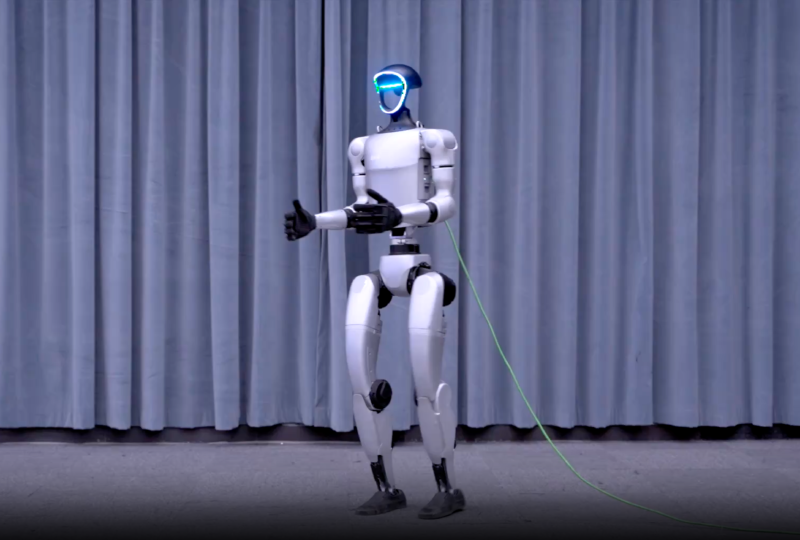
Introduction
If you want to debug the unitree-g1-edu robot, you’ve probably read their official documentation.
The quick development guide is here:
G1_developer/Quick Development
The environment requirements are straightforward—based on Ubuntu 20.04 or 22.04.
Install the required dependencies and most steps are easy to perform.
However, if you want to actually debug the G1 robot, the official approach is roughly as follows.
Demo video.
Roughly like this:

1
2
3
4
|
It is recommended that new users connect their computer to the G1 switch using an Ethernet cable and adapter,
and set the NIC used for robot communication to the 192.168.123.X subnet,
recommended using 192.168.123.99.
|
There’s nothing wrong with that approach, but dragging a cable around is inconvenient.
Is there another way?
After thinking about it, you can use a Raspberry Pi as the master controller connected to the G1 network,
while also connecting the Pi to the local LAN — that lets you control the robot remotely.
I also noticed there are three power output ports next to the G1-EDU network port: 12V, 24V, and 48V,
which are enough to power a Raspberry Pi (Pi needs 5V—use a buck converter).
With that power, you can also supply other devices.
For example: a robotic gripper—pretty interesting.
Raspberry Pi Hardware Setup
A buck converter (EVEPS DC step-down) + power cable,
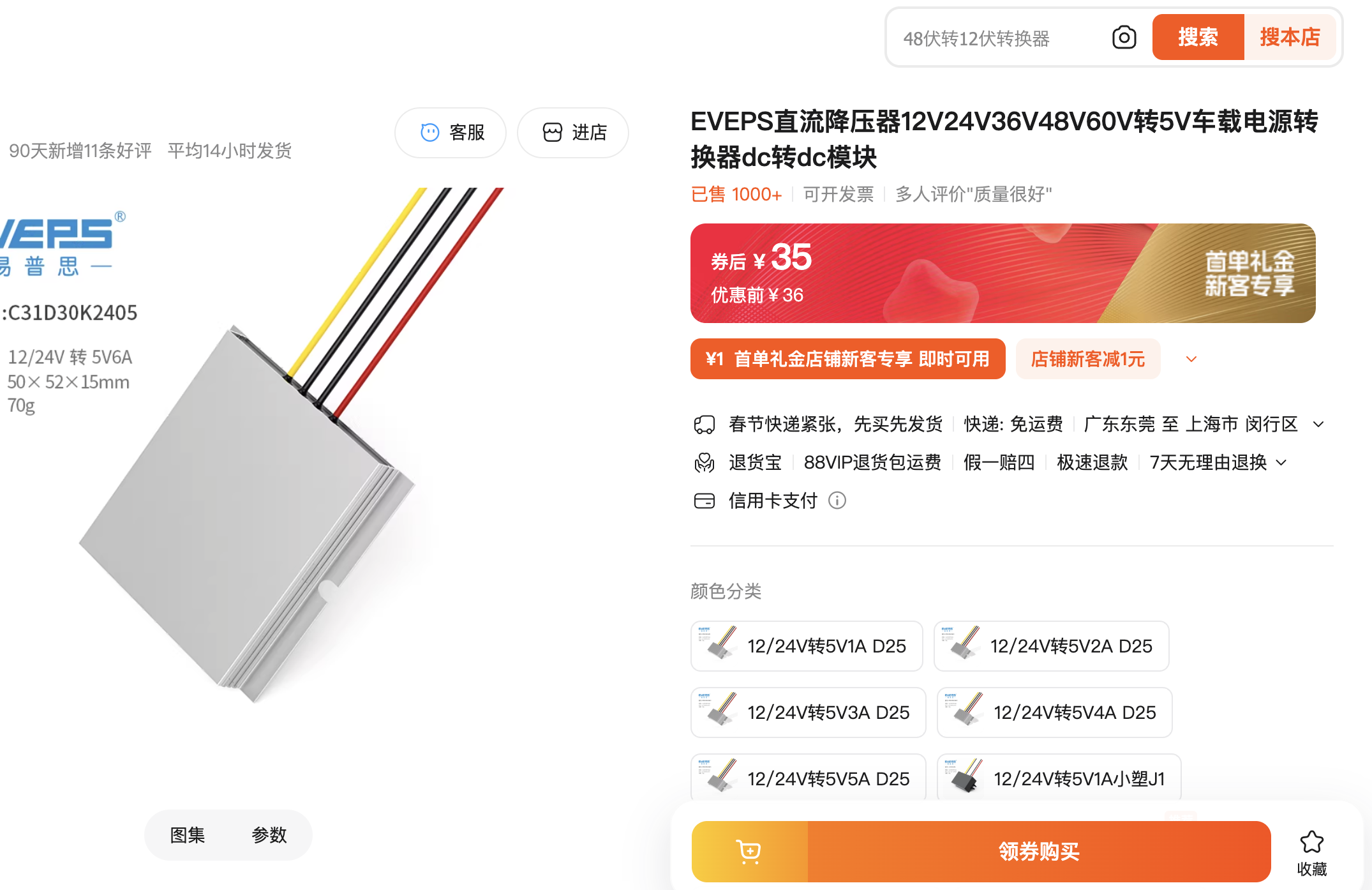
EVEPS DC step-down module
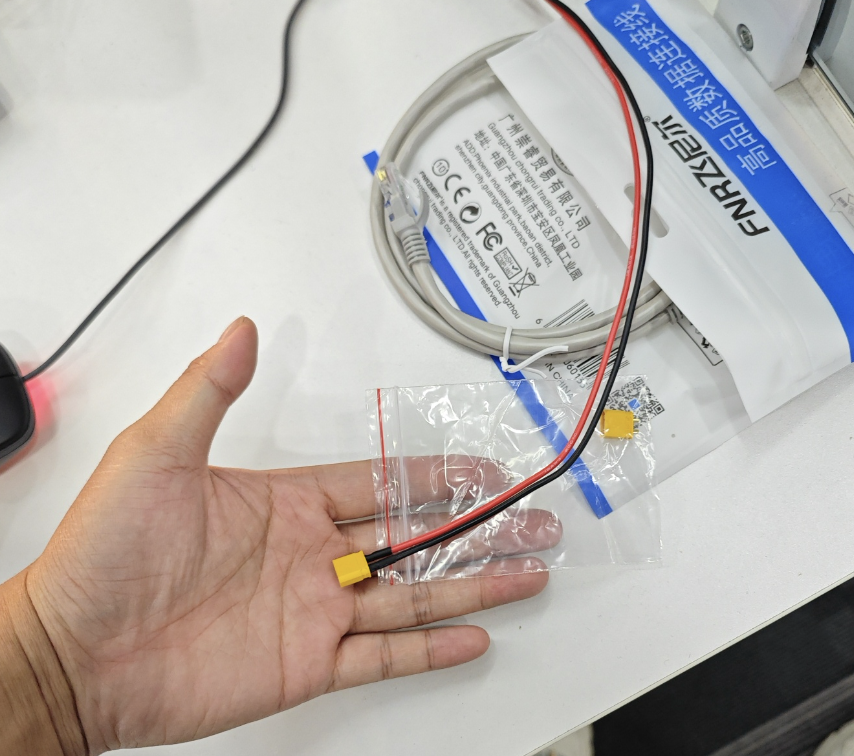
Power cable
All together it’s about thirty RMB; you can buy them on Taobao.
Use 3M tape to fix the Raspberry Pi to the robot’s back, connect the power cable,
plug the Ethernet cable from the back of the robot into the Raspberry Pi,
and finally put a cover on the G1 to hide everything.
Python Action Debugging
Install their unitree_sdk2py locally, then you can try debugging the G1.
  1
  2
  3
  4
  5
  6
  7
  8
  9
 10
 11
 12
 13
 14
 15
 16
 17
 18
 19
 20
 21
 22
 23
 24
 25
 26
 27
 28
 29
 30
 31
 32
 33
 34
 35
 36
 37
 38
 39
 40
 41
 42
 43
 44
 45
 46
 47
 48
 49
 50
 51
 52
 53
 54
 55
 56
 57
 58
 59
 60
 61
 62
 63
 64
 65
 66
 67
 68
 69
 70
 71
 72
 73
 74
 75
 76
 77
 78
 79
 80
 81
 82
 83
 84
 85
 86
 87
 88
 89
 90
 91
 92
 93
 94
 95
 96
 97
 98
 99
100
101
102
103
104
105
106
107
108
109
110
111
112
113
114
115
116
117
118
119
120
121
122
123
124
125
126
127
128
129
130
131
132
133
134
135
136
137
138
139
140
141
142
143
144
145
146
147
148
149
150
151
152
153
154
155
156
157
158
159
160
161
162
| import time
import sys
from unitree_sdk2py.core.channel import ChannelSubscriber, ChannelFactoryInitialize
from unitree_sdk2py.g1.arm.g1_arm_action_client import G1ArmActionClient
from unitree_sdk2py.g1.arm.g1_arm_action_client import action_map
from dataclasses import dataclass
@dataclass
class TestOption:
name: str
id: int
option_list = [
TestOption(name="release arm", id=0),
TestOption(name="shake hand", id=1),
TestOption(name="high five", id=2),
TestOption(name="hug", id=3),
TestOption(name="high wave", id=4),
TestOption(name="clap", id=5),
TestOption(name="face wave", id=6),
TestOption(name="left kiss", id=7),
TestOption(name="heart", id=8),
TestOption(name="right heart", id=9),
TestOption(name="hands up", id=10),
TestOption(name="x-ray", id=11),
TestOption(name="right hand up", id=12),
TestOption(name="reject", id=13),
TestOption(name="right kiss", id=14),
TestOption(name="two-hand kiss", id=15),
]
class UserInterface:
def __init__(self):
self.test_option_ = None
def convert_to_int(self, input_str):
try:
return int(input_str)
except ValueError:
return None
def terminal_handle(self):
input_str = input("Enter id or name: \n")
if input_str == "list":
self.test_option_.name = None
self.test_option_.id = None
for option in option_list:
print(f"{option.name}, id: {option.id}")
return
for option in option_list:
if input_str == option.name or self.convert_to_int(input_str) == option.id:
self.test_option_.name = option.name
self.test_option_.id = option.id
print(f"Test: {self.test_option_.name}, test_id: {self.test_option_.id}")
return
print("No matching test option found.")
def shake_hand(network_interface):
ChannelFactoryInitialize(0, network_interface)
armAction_client = G1ArmActionClient()
armAction_client.SetTimeout(10.0)
armAction_client.Init()
time.sleep(0.5)
armAction_client.ExecuteAction(action_map.get("shake hand"))
time.sleep(2)
armAction_client.ExecuteAction(action_map.get("release arm"))
print("Shaked hand and released arm.")
def release_arm(network_interface):
ChannelFactoryInitialize(0, network_interface)
armAction_client = G1ArmActionClient()
armAction_client.SetTimeout(10.0)
armAction_client.Init()
time.sleep(0.5)
result = armAction_client.ExecuteAction(action_map.get("release arm"))
print(f"Released arm with result: {result}")
if __name__ == "__main__":
if len(sys.argv) < 2:
print(f"Usage: python3 {sys.argv[0]} networkInterface")
sys.exit(-1)
print("WARNING: Please ensure there are no obstacles around the robot while running this example.")
input("Press Enter to continue...")
ChannelFactoryInitialize(0, sys.argv[1])
test_option = TestOption(name=None, id=None)
user_interface = UserInterface()
user_interface.test_option_ = test_option
armAction_client = G1ArmActionClient()
armAction_client.SetTimeout(10.0)
armAction_client.Init()
# actionList = armAction_client.GetActionList()
# print("actionList\n",actionList)
print("Input \"list\" to list all test option ...")
while True:
user_interface.terminal_handle()
print(f"Updated Test Option: Name = {test_option.name}, ID = {test_option.id}")
if test_option.id == 0:
armAction_client.ExecuteAction(action_map.get("release arm"))
elif test_option.id == 1:
armAction_client.ExecuteAction(action_map.get("shake hand"))
time.sleep(2)
armAction_client.ExecuteAction(action_map.get("release arm"))
elif test_option.id == 2:
armAction_client.ExecuteAction(action_map.get("high five"))
time.sleep(2)
armAction_client.ExecuteAction(action_map.get("release arm"))
elif test_option.id == 3:
armAction_client.ExecuteAction(action_map.get("hug"))
time.sleep(2)
armAction_client.ExecuteAction(action_map.get("release arm"))
elif test_option.id == 4:
armAction_client.ExecuteAction(action_map.get("high wave"))
elif test_option.id == 5:
armAction_client.ExecuteAction(action_map.get("clap"))
elif test_option.id == 6:
armAction_client.ExecuteAction(action_map.get("face wave"))
elif test_option.id == 7:
armAction_client.ExecuteAction(action_map.get("left kiss"))
elif test_option.id == 8:
armAction_client.ExecuteAction(action_map.get("heart"))
time.sleep(2)
armAction_client.ExecuteAction(action_map.get("release arm"))
elif test_option.id == 9:
armAction_client.ExecuteAction(action_map.get("right heart"))
time.sleep(2)
armAction_client.ExecuteAction(action_map.get("release arm"))
elif test_option.id == 10:
armAction_client.ExecuteAction(action_map.get("hands up"))
time.sleep(2)
armAction_client.ExecuteAction(action_map.get("release arm"))
elif test_option.id == 11:
armAction_client.ExecuteAction(action_map.get("x-ray"))
time.sleep(2)
armAction_client.ExecuteAction(action_map.get("release arm"))
elif test_option.id == 12:
armAction_client.ExecuteAction(action_map.get("right hand up"))
time.sleep(2)
armAction_client.ExecuteAction(action_map.get("release arm"))
elif test_option.id == 13:
armAction_client.ExecuteAction(action_map.get("reject"))
time.sleep(2)
armAction_client.ExecuteAction(action_map.get("release arm"))
elif test_option.id == 14:
armAction_client.ExecuteAction(action_map.get("right kiss"))
elif test_option.id == 15:
armAction_client.ExecuteAction(action_map.get("two-hand kiss"))
time.sleep(1)
|