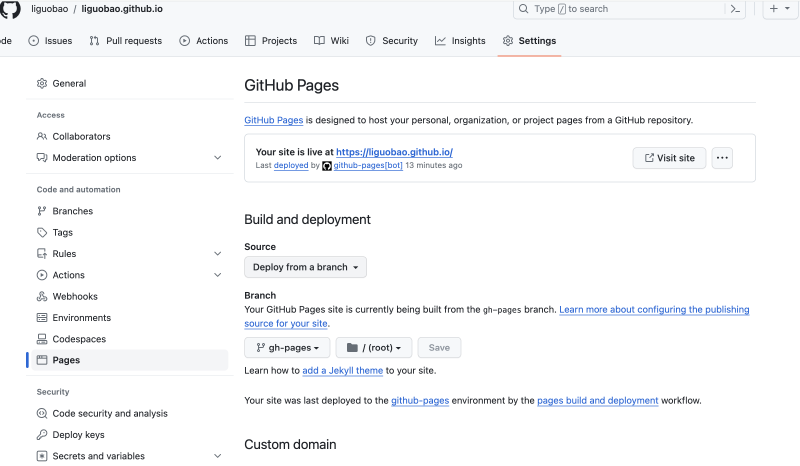
Official guide: Configuring a publishing source for your GitHub Pages site https://docs.github.com/zh/pages/getting-started-with-github-pages/configuring-a-publishing-source-for-your-github-pages-site
Key point:
Set the correct repository branch for Pages.
If you use Hugo (or similar static site generators), they typically produce a public folder of static files.
With GitHub Actions, you build and publish those static files, usually to a dedicated branch of the repository.
My Example
Repository:
The default branch (master) contains my site config and content.
The static output branch is:
https://github.com/liguobao/liguobao.github.io/tree/gh-pages
Now go to GitHub project Settings → Pages and set “Your GitHub Pages site” to branch gh-pages.
Done.
Photo by Pawel Czerwinski on Unsplash